


Description
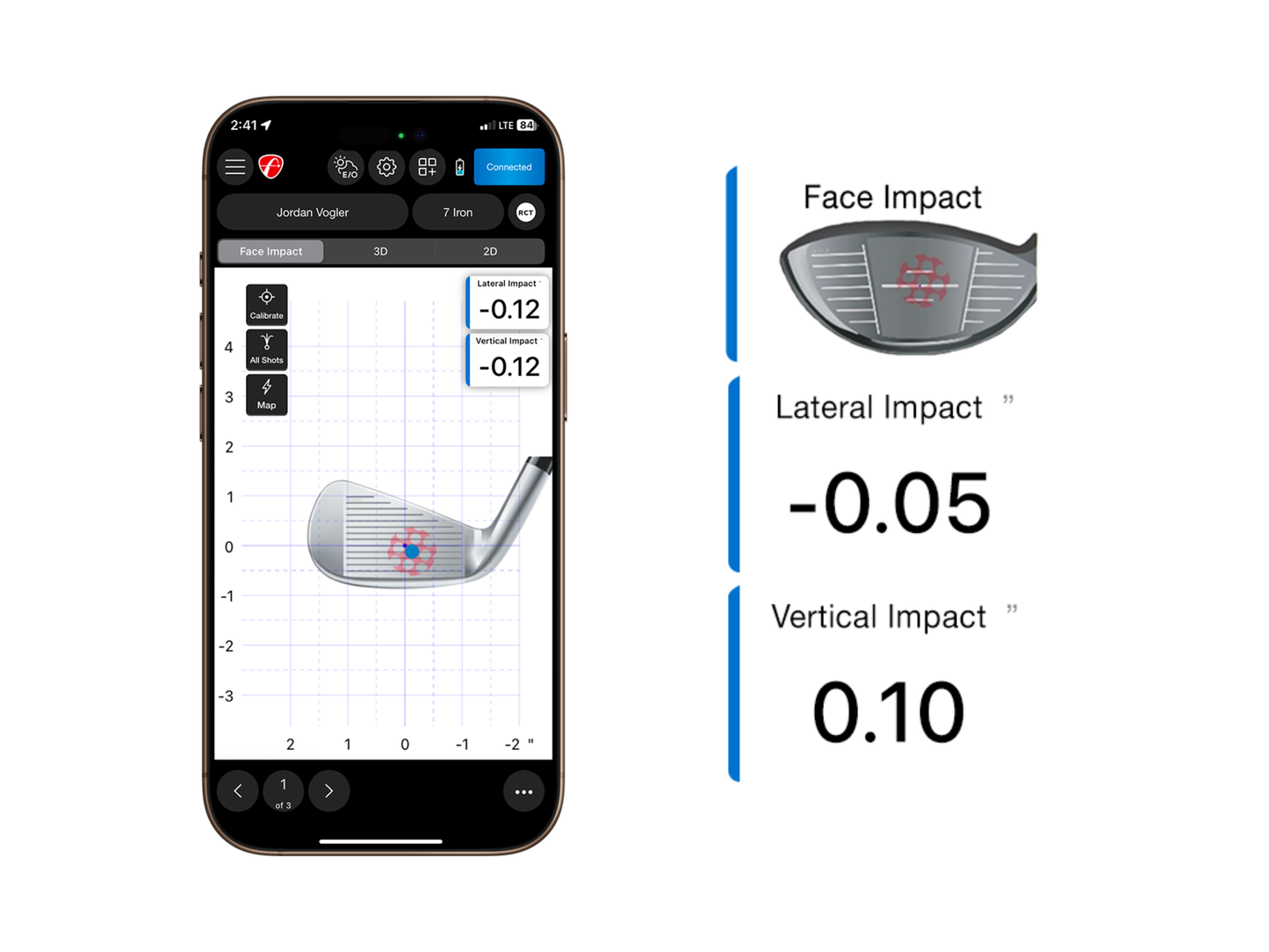
Take advantage of this unique new feature in the FS Golf App to work on consistently making contact in the center of the club face. Face Impact Location gives users the opportunity to work on accuracy and consistency with wedges, irons, and woods. Improve your performance with instant feedback on every shot.
* Please note that in order for Face Impact Location to work, proper lighting is required. We require a minimum of 300 Lux.
View the precise location of impact for every club and compare it to the data for that shot. Face Impact Location also adds two additional data parameters: lateral impact and vertical impact.
Select Face Impact Location as a data parameter on the Trajectory screen in the FS Golf App, or select it as the only screen you see. You can also utilize the entire D-Plane dataset with Face Impact Location to analyze every aspect of your swing and discover areas of improvement.
Heat Mapping Visualization
(Tablets only)
Heat mapping visualization provides a visual distribution of impact location for a specific club over the entire session. The heat map is designed to give users a face impact overview for an entire session.
Review your entire session and see exactly where on the club face you strike most. Heat Mapping Visualization works for every club in a given session. The Heat Mapping is only available on the tablet version of the FS Golf app and is not available on the phone version of the FS Golf app.
Shot Grouping
Shot grouping allows users to see their face impact location for every shot in that session. Get a complete picture of accuracy and consistency for every club in your bag.
View all shots to see how consistent your strikes are on the club face.
Your Questions Answered
Does Face Impact Location have lighting requirements?
The FlightScope Mevo+ and Mevo Gen2 use Advanced Fusion to record the Face Impact Location on your shots. FlightScope's Advanced Fusion Tracking feature requires sufficient lighting to collect accurate data. The minimum light measurement in your hitting area to achieve this is 300 lux. Because this is the minimum requirement, we recommend lighting the area so that you achieve a lux reading higher than 300 with a lux meter in an area with a 3 foot (approximately 0.9 meter) radius measured from the hitting location.
What does Face Impact Location do?
Face Impact Location enables the user to view the precise location of impact for every club and compare it to the data for that shot. Face Impact Location also adds two additional data parameters: lateral impact and vertical impact.
What is heat mapping for Face Impact Location?
Heat mapping visualization provides a visual distribution of impact location for a specific club over the entire session. The heat map is designed to give users a face impact overview for an entire session. *Heat mapping is available for tablets and PCs only.
Shipping
Shipping is available within Canada only. Shipping costs and delivery options are calculated at checkout based on your location.
Need help choosing the right setup?
Before ordering, send us your room size and budget. We’ll help confirm the right simulator setup for your space.
Get Free Setup Help